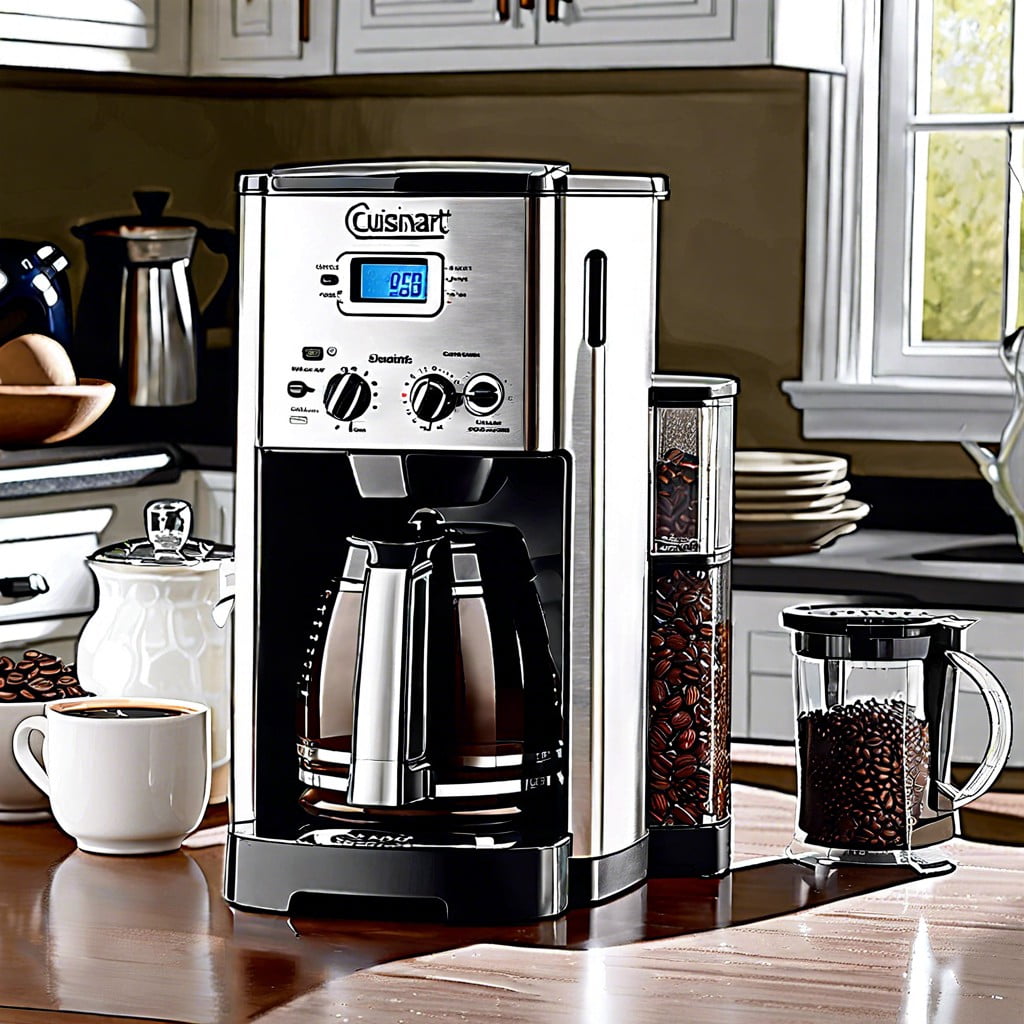
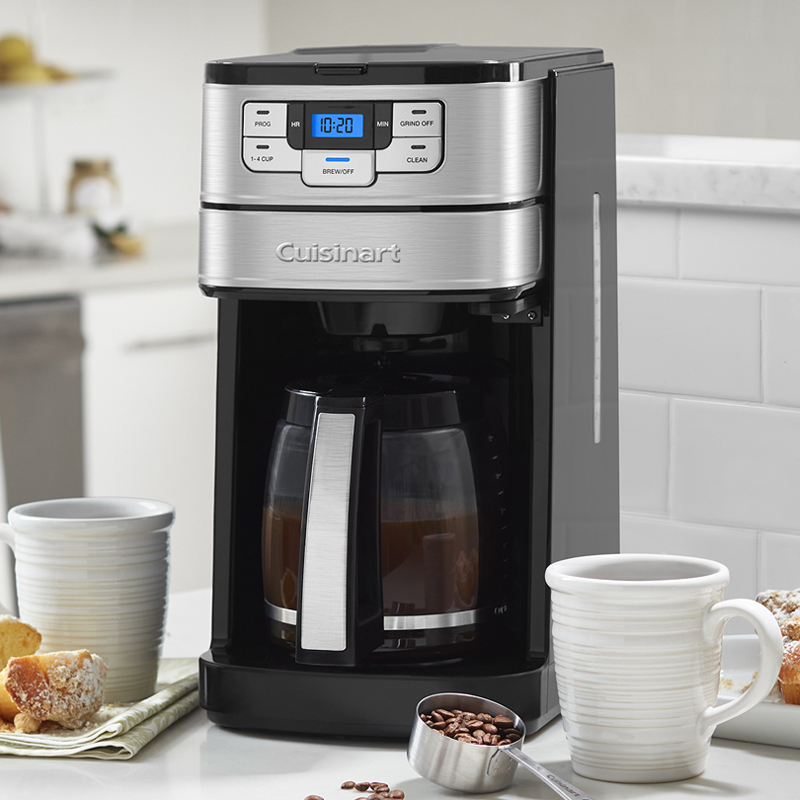
To start most Cuisinart coffee makers, fill the water reservoir, add ground coffee to the filter basket, place the carafe correctly, plug in the machine, and press the Brew or On/Off button. Exact controls vary by model, so check the manual if your buttons look different.
If you are standing in a U.S. kitchen with a new or unfamiliar Cuisinart coffee maker, the basic process is usually simple. Most Cuisinart drip models follow the same basic pattern: add fresh water, put coffee grounds in the filter, place the carafe, and start the brew cycle. Some models add programmable controls, brew strength settings, self-clean functions, or separate single-serve systems.
The most useful thing to know is that Cuisinart does not use one identical control panel across every coffee maker. The company sells several types, including compact 5-cup machines, programmable 12-cup models, grind-and-brew machines, and Coffee Center models. Cuisinart also maintains model-specific manuals, so the exact Start, Brew, or On/Off control can differ. This guide covers the common setup while showing where model differences matter.
For a typical U.S. drip coffee maker, you can usually go from an empty machine to a fresh pot in just a few basic steps. Before the first brew, however, it is worth checking the carafe, filter basket, water reservoir, and manual so you do not accidentally use the wrong filter or fill the machine incorrectly.
What You Need Before Starting a Cuisinart Coffee Maker
Before pressing any button, make sure the basic brewing parts are in place. For a standard Cuisinart drip coffee maker, you normally need the coffee maker, its carafe, a compatible coffee filter, ground coffee, and fresh drinking water.
If your model has a charcoal water filter, install it according to the instructions for that model. Cuisinart uses charcoal water filters on many of its coffee makers, but the filter design and holder can vary. Do not assume every Cuisinart model uses the same replacement filter.
If this is the first use of a new machine, wash removable parts that the manual says are washable. A first rinse or water-only brewing cycle can also be useful when the model instructions call for it.
Source: kitchenwink.com
Fresh water
Use clean drinking water and fill only to the level needed for the amount of coffee you want to make.
Coffee filter
Use the filter type specified for your Cuisinart model, such as a paper filter or the supplied permanent-style filter.
Ground coffee
Use ground coffee suitable for drip brewing and measure it according to your preferred strength and the instructions for your machine.
Carafe
Place the carafe in its normal brewing position so the coffee outlet and carafe work together correctly.
How to Start Cuisinart Coffee Maker Step by Step
For most Cuisinart drip coffee makers, starting a pot is a straightforward sequence. The main differences come from the control panel and optional settings on your specific model.
Source: futurecdn.net
1. Place the coffee maker safely
Set the coffee maker on a stable, level, heat-resistant surface near a suitable electrical outlet. Keep the machine away from the edge of the counter and make sure the power cord is not hanging where it can be pulled.
2. Fill the water reservoir
Add fresh water to the reservoir. Use the markings on the reservoir or carafe to measure the amount you want to brew. Do not exceed the maximum fill line.
3. Prepare the filter basket
Open the brew basket and insert the correct filter. If your model includes a permanent filter, use it as directed. Make sure the basket is seated correctly before adding coffee.
4. Add ground coffee
Put your desired amount of ground coffee into the filter. A common starting point is roughly 1 level tablespoon per 5 to 6 ounces of water, but taste preference and the model’s instructions should guide the final amount.
5. Place the carafe
Put the empty carafe on the warming plate or in the designated carafe position. Make sure it sits fully in place before brewing.
6. Plug in the machine
Connect the coffee maker to an appropriate household outlet. The display or indicator lights may activate depending on the model.
7. Set optional controls
If your machine has Brew Strength, cup-size, temperature, or other options, choose them before starting. If you simply want a normal pot, the default setting is often enough.
8. Press the brew control
Press the button labeled Brew, On/Off, or the corresponding start control on your model. The machine should begin heating water and sending it through the coffee grounds.
9. Wait for brewing to finish
Let the coffee maker complete the brew cycle unless your model specifically provides a Brew Pause feature. Avoid moving the machine or opening parts that should remain closed during brewing.
How to Know the Cuisinart Coffee Maker Has Started
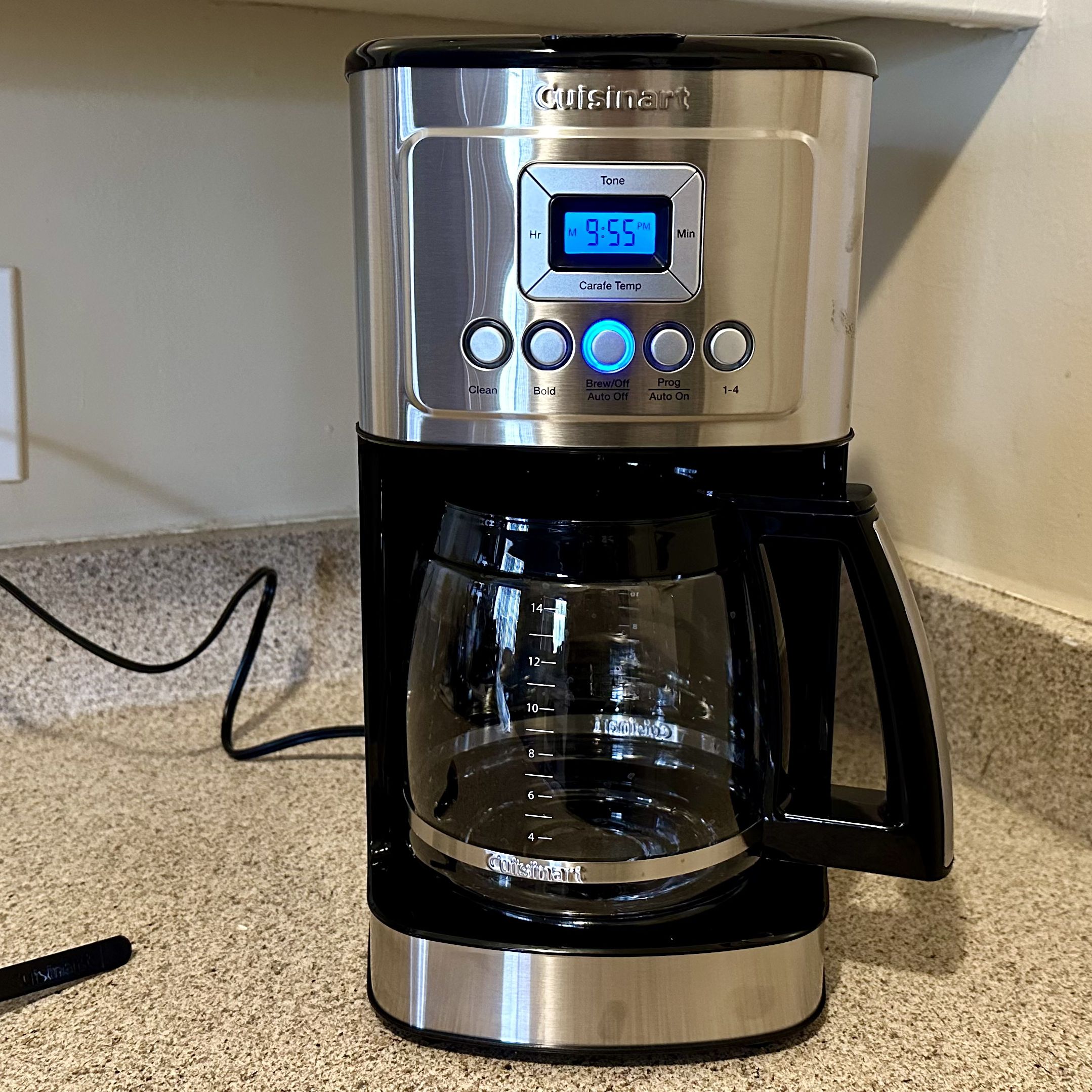
A started brew cycle is usually indicated by a brewing light, an active display, heating sounds, dripping coffee, or another status indicator. The exact signal depends on the model.
If you hear the machine operating but coffee is not immediately entering the carafe, give it a little time. Drip coffee makers heat and move water through the brewing system before the finished coffee reaches the carafe.
Indicator light
Many models use a light or display indication when the brewing function is active.
Water movement
You may hear heating or water-flow sounds as the machine begins the brewing process.
Coffee entering the carafe
Once brewed coffee begins dripping into the carafe, the brew cycle is clearly underway.
What If Your Cuisinart Has a Brew Button Instead of an On Button?
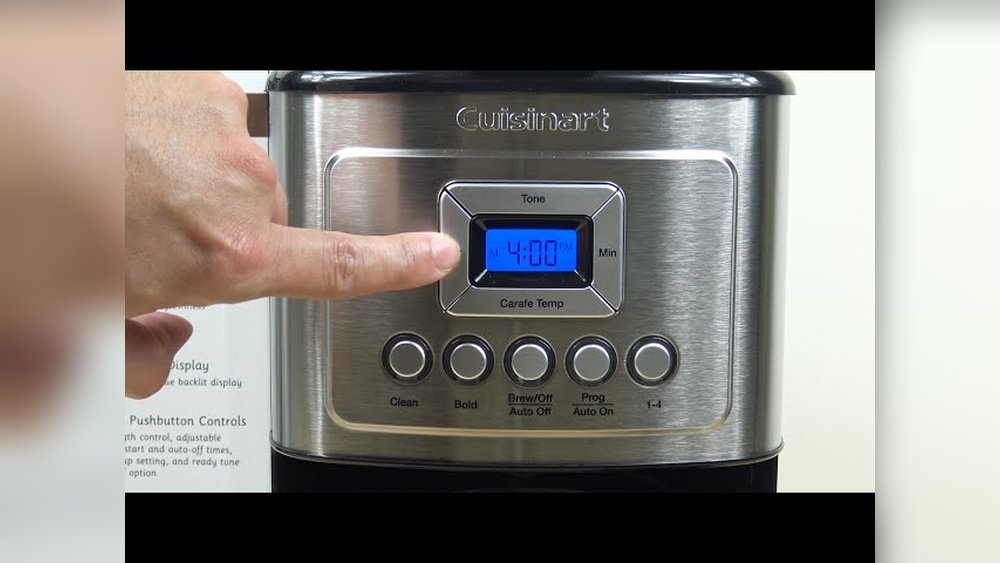
Some Cuisinart models use a dedicated Brew control, while simpler models may have an On/Off switch. If you see both programming controls and a Brew button, the Brew control is generally the one used to begin an immediate brewing cycle.
Do not press random controls if the panel is unfamiliar. Look for the model number on the machine and use the corresponding Cuisinart manual to confirm the control sequence.
Immediate brewing
Use the model’s Brew or On/Off control when you want coffee to start now.
Scheduled brewing
Use the program or Auto On controls when you want the machine to begin at a later time.
How Much Water and Coffee Should You Use?
The right amount depends on the size of the brew and how strong you like your coffee. Start with the measurement guidance in your Cuisinart manual, then adjust the coffee amount to your taste.
Cuisinart uses the term cup in ways that may not match a large American drinking mug. For example, one Cuisinart 12-cup model specifies that a cup equals approximately 5 ounces. That means a full 12-cup coffee maker does not necessarily produce twelve 8-ounce mugs.
For a practical starting point, use the reservoir markings to decide how much water you need and use the included scoop or your chosen measuring method to add coffee. If the result tastes weak, increase the coffee slightly next time. If it tastes too strong, reduce the amount.
Source: purecoffeejoy.com
For mild coffee
Start with slightly less ground coffee than your normal measurement and adjust gradually.
For stronger coffee
Increase the amount of ground coffee or use a Brew Strength setting if your model provides one.
For a small batch
Use the water markings for the smaller amount rather than filling the reservoir and making more coffee than you need.
Why Your Coffee Maker Cup Is Smaller Than Your Mug
A coffee maker’s cup measurement is a brewing measurement, not necessarily the same as the 8-ounce cup used for many household drinks. This is why the number of cups shown on a machine can seem larger than the number of mugs you fill.
For the most accurate amount, follow the markings on your specific Cuisinart reservoir and carafe. This avoids confusion caused by comparing coffee-maker cup ratings with household mug sizes.
How to Start Different Types of Cuisinart Coffee Makers
The basic brewing idea stays the same, but the starting procedure can change depending on the type of Cuisinart coffee maker you own. Checking the model number is the fastest way to avoid using instructions for the wrong machine.
Source: studyfinds.org
Standard drip coffee maker
Add water, place the filter and coffee grounds, position the carafe, and use the Brew or On/Off control.
Programmable coffee maker
For coffee now, use the immediate brew control. For later, set the clock and use the programming or Auto On function described in the manual.
Grind-and-brew model
Add whole beans to the hopper or use the grind-off function if your model supports pre-ground coffee. Follow the machine’s instructions for grind and cup settings.
Coffee Center model
Choose the correct brewing side first because combination machines may have separate drip and single-serve systems with different controls.
Small 5-cup model
These machines can have simpler controls. Some current and older Cuisinart 5-cup models use a straightforward On/Off control for immediate brewing.
If Your Cuisinart Has a Grinder
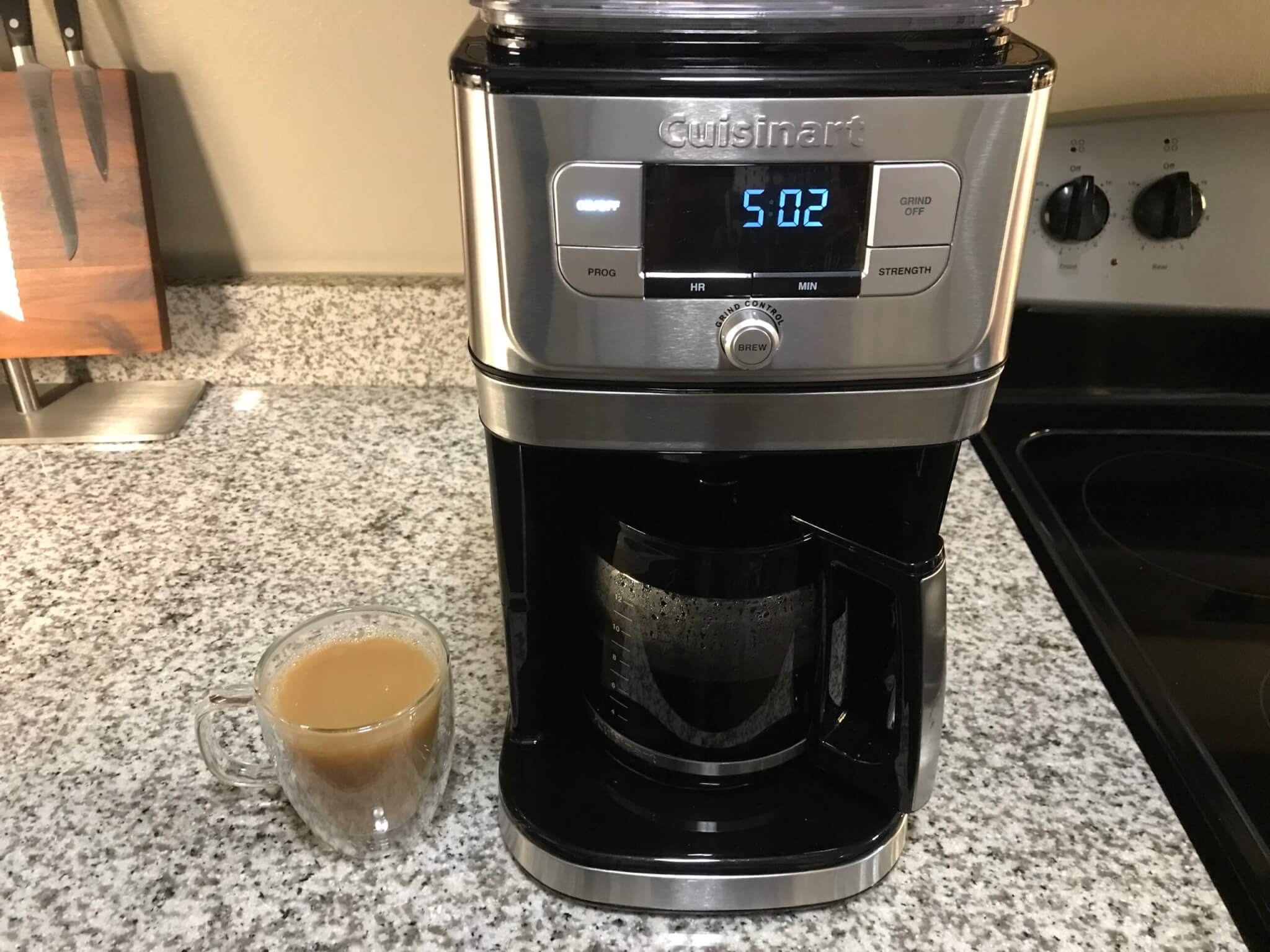
A grind-and-brew Cuisinart requires a few extra checks before you start. Depending on the model, you may need to add whole beans to the hopper, select the number of cups, choose the grind setting, and select the desired coffee strength.
Some grind-and-brew models also provide a grind-off function for pre-ground coffee. Do not add beans and pre-ground coffee to the machine at the same time unless the manual specifically permits that setup.
If Your Cuisinart Is a Coffee Center
A Coffee Center combines different brewing methods in one appliance. Some models have a carafe side and a single-serve side, so the first step is choosing the brewing method you want.
Once you choose the side, follow that side’s water, filter, pod, cup-size, and start controls. The two systems should not be treated as if they use identical steps.
Common Problems When Starting a Cuisinart Coffee Maker
If your Cuisinart coffee maker does not start, work through the simplest checks first. A machine that appears unresponsive may simply have no power, an incorrectly positioned carafe, an empty reservoir, or a control that is different from the one you expected.
Do not keep pressing buttons or repeatedly unplugging the machine if there is a burning smell, smoke, damaged cord, visible electrical damage, or unusual overheating. Stop using the appliance and follow the manufacturer’s safety and service guidance.
Source: fixmeasnack.com
The display is blank
Check that the power cord is connected and that the outlet is working. If the outlet is controlled by a switch or protected by a resettable device, check that as well.
The machine has power but will not brew
Confirm that the reservoir contains water, the filter basket is installed correctly, and the carafe is properly positioned.
The coffee maker starts but does not produce coffee
Check for an empty reservoir, an incorrectly installed basket, a blocked or overdue cleaning condition, or a model-specific setting that prevents normal brewing.
Coffee overflows
Stop the cycle if necessary and check the filter type, filter basket position, and amount of coffee grounds. Excess grounds can contribute to overflow on some machines.
The coffee tastes weak
Try adjusting the amount of coffee, grind, or brew-strength setting rather than simply adding more water.
What to Check Before Assuming the Machine Is Broken
Start with the outlet and power connection. Next, check the water level, filter basket, coffee grounds, carafe position, and control selection. These checks address common setup errors without requiring the machine to be opened.
If the problem continues, identify the exact model number and consult the matching Cuisinart manual or support information. Cuisinart maintains a coffee maker manual library covering many current and discontinued models.
Power
Confirm that the machine receives power from the outlet.
Water
Make sure the reservoir contains enough water and is not filled beyond its marked limit.
Carafe
Make sure the carafe is seated correctly in its brewing position.
Filter basket
Check that the filter and basket are installed correctly and are not overloaded with grounds.
Should You Program the Cuisinart Coffee Maker Instead?
If your Cuisinart model supports programmable brewing, you can prepare the machine in advance and schedule it to start later. This is useful when you want coffee ready around a regular morning routine.
Programming is different from starting an immediate brew. For an immediate pot, use the normal Brew or On/Off control. For scheduled brewing, set the clock and follow the model-specific instructions for Auto On or brew-time programming.
Source: cuisinart.ca
Use immediate brew
Choose this when you want the coffee maker to begin brewing now.
Use programmable brew
Choose this when you want the machine to begin automatically at a selected time.
Check the clock
A programmable machine needs the correct current time before a scheduled brew can start at the intended time.
What to Do After the Coffee Finishes
After brewing, remove used coffee grounds and the filter according to your machine’s instructions. Empty leftover water when appropriate, wipe spills, and clean removable components regularly.
Cuisinart recommends routine cleaning for its coffee makers, and some models include a dedicated self-clean function. Descaling may also be needed periodically, particularly when mineral buildup affects brewing performance.
Empty the used grounds
Remove the filter and spent coffee grounds after brewing.
Clean spills
Wipe coffee or water from the machine and surrounding counter.
Follow the cleaning cycle
If your model has a Clean function, use it according to the manual when cleaning is required.
Safety Tips for Starting a Cuisinart Coffee Maker
Use the coffee maker on a stable, dry surface and keep the power cord away from hot surfaces and areas where it can be pulled. Water and electricity should be kept separate, and the appliance should not be operated with a damaged cord or plug.
Do not overfill the water reservoir or place anything in the reservoir other than the water and filtration components specified by the manufacturer. Keep the lid and other brewing components in their intended positions while the machine operates.
Hot water, steam, coffee, the carafe, and warming plate can cause burns. Give the machine time to cool before cleaning parts that become hot, and follow the manual for any component that should not be immersed in water.
Source: coffeelikers.com
Keep the machine level
A stable surface helps prevent spills and keeps the carafe properly positioned.
Avoid overfilling
Use the reservoir markings and stay below the maximum fill line.
Handle hot parts carefully
The brewed coffee, carafe, warming plate, and steam can be hot during and after brewing.
Do not use damaged electrical parts
Stop using the appliance if the cord, plug, or other electrical components show damage.
Frequently Asked Questions
Q
How do I start a Cuisinart coffee maker?
Add water to the reservoir, put coffee grounds in the filter, place the carafe correctly, plug in the machine, and press the Brew or On/Off control. The exact button varies by model.
Q
Why is my Cuisinart coffee maker not starting?
Check the outlet, power cord, water level, filter basket, and carafe position first. If those are correct, find your model number and check the matching Cuisinart manual for model-specific controls.
Q
Do I need to press Brew or On/Off on a Cuisinart coffee maker?
It depends on the model. Some Cuisinart coffee makers use an On/Off control, while programmable models may have a dedicated Brew control for starting an immediate cycle.
Q
How much coffee should I put in a Cuisinart coffee maker?
Use your model’s recommended measurement as the starting point. You can then adjust the amount to make the coffee milder or stronger based on your taste.
Q
Can I program a Cuisinart coffee maker to start later?
Many Cuisinart programmable models support scheduled brewing. Set the clock and use the model’s programming or Auto On controls according to the instructions for that specific machine.
✦ Wrapping Up
Conclusion
Starting a Cuisinart coffee maker is usually as simple as adding fresh water, preparing the filter and coffee grounds, positioning the carafe, and pressing the appropriate brew control. The main thing that changes from one machine to another is the control panel and the optional features.
If your coffee maker is a standard drip model, these steps should give you a clear starting point. If it is a Coffee Center, grind-and-brew machine, or another specialized model, use the same basic preparation but follow the model-specific controls for brewing.
When the machine does not start, check power, water, the filter basket, and carafe position before assuming there is a mechanical problem. For unfamiliar controls or unusual behavior, the exact Cuisinart model manual is the safest source for the final instructions.
💡 Key Takeaway
For your next brew, start with fresh water, the correct filter, measured coffee grounds, and a properly seated carafe. Then use the Brew or On/Off control specified for your Cuisinart model.