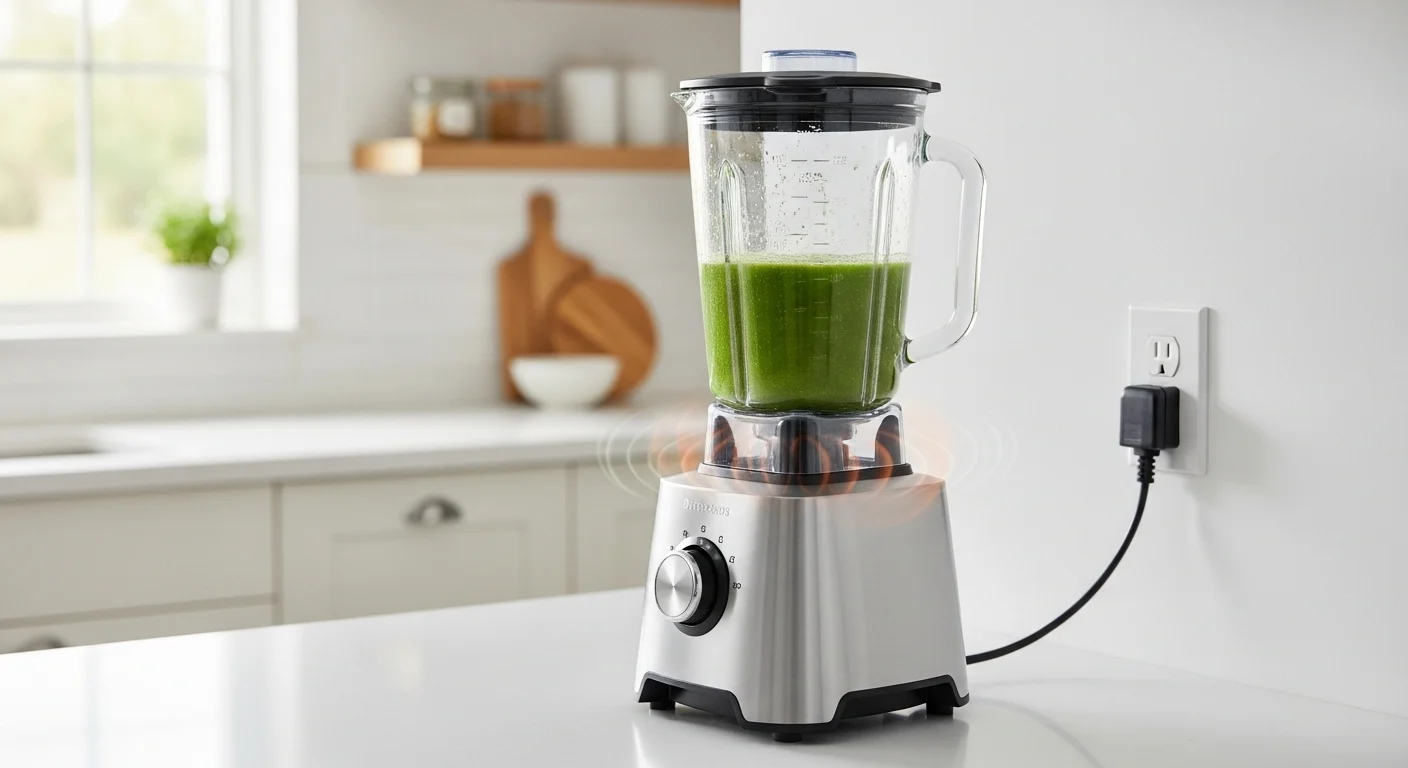
Unplug the blender, let the motor cool, check for blockages, and use the reset button only if your model has one.
In American kitchens, a blender may handle morning smoothies, frozen fruit, salsa, soups, and sauces in a single day. Heavy loads, thick mixtures, or long blending sessions can make the motor too hot. When that happens, the blender may stop on its own, even if it worked fine a moment earlier.
The first step is to unplug the blender and let it cool. Some models have a thermal protection system that stops the motor when it gets too hot. Others may have a manual reset button. The correct method depends on the brand and model, so check the owner’s manual before pressing buttons or trying to restart the appliance.
Do not keep switching the blender on when it refuses to run. Repeated attempts can add more heat and may damage the motor. Instead, follow a safe cooling and inspection process, then test the blender with a small, easy-to-blend load. If it smells burnt, shows signs of electrical damage, or keeps shutting down, stop using it.
A blender needs a motor to turn its blades at high speed. The motor creates heat as it works. Thick food, frozen ingredients, poor airflow, and long blending sessions can increase that heat. If the motor becomes too hot, a protective device may stop it to help prevent damage.
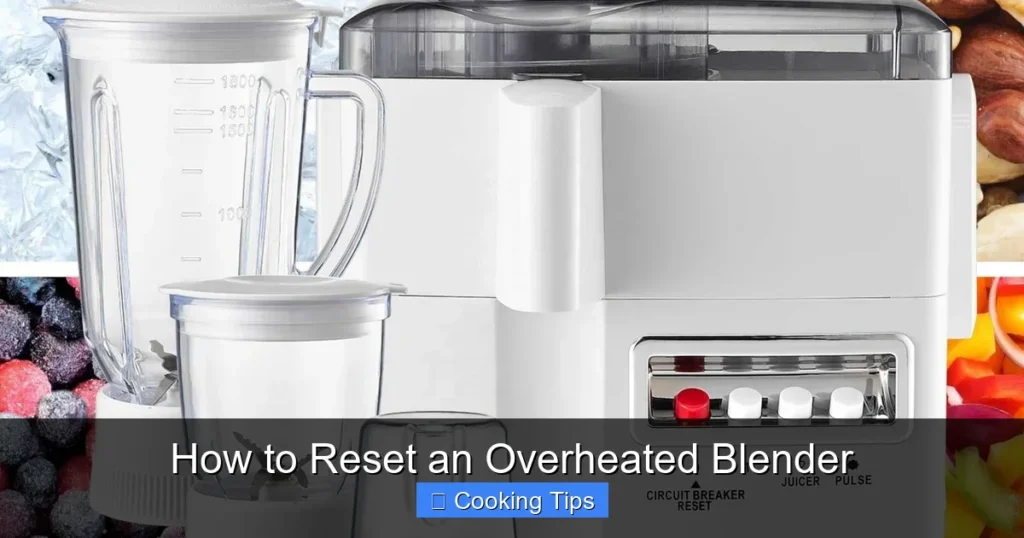
A thermal protector is a safety component that responds to excessive heat. Depending on the design, it may interrupt power to the motor until the unit cools. Some appliances also have a manual reset feature. These systems are not identical, so the reset method for one blender may not work for another.
A blender that stops during use may be overheated, but heat is not the only possible cause. A loose jar, a jammed blade assembly, a faulty power outlet, a damaged cord, or an internal electrical fault can also prevent operation. Check the simplest and safest possibilities before assuming the motor needs a reset.
Source: cookrm.com
Thermal shutdown
The blender stops after the motor gets too hot. It may work again after cooling if the protective system is designed to reset automatically.
Manual reset protection
Some models have a reset switch or button. Use it only as described in the owner’s manual and only after the motor has cooled.
Mechanical blockage
A blade assembly that cannot turn freely because of a jammed load can place extra strain on the motor. Unplug the unit before inspecting or removing food.
Electrical or motor fault
A damaged cord, failed switch, worn motor, or other internal fault may look like overheating. Do not open the motor housing or attempt an electrical repair unless you are qualified to do so.
Signs That Your Blender May Be Overheated
The most common warning sign is a sudden stop during blending. You may also notice unusual warmth around the motor housing, a hot electrical smell, or a thermal protection light if your model has one. A blender that slows down while processing a thick mixture may also be under heavy strain.
Warmth alone does not prove that the motor has overheated. Some warmth is normal during operation, and the acceptable temperature varies by model. A strong burning odor, smoke, sparks, or a hot or damaged power cord is more concerning. Unplug the blender if you can do so safely and do not restart it to see whether the warning signs disappear.
Likely heat-related shutdown
The blender stopped during a demanding task and has no visible electrical damage or burning odor.
Possible blade or load problem
The motor slowed, struggled, or made an unusual sound while processing thick food or frozen ingredients.
Possible electrical fault
Smoke, sparks, a damaged cord, or a persistent burnt smell suggests that continued use is unsafe.
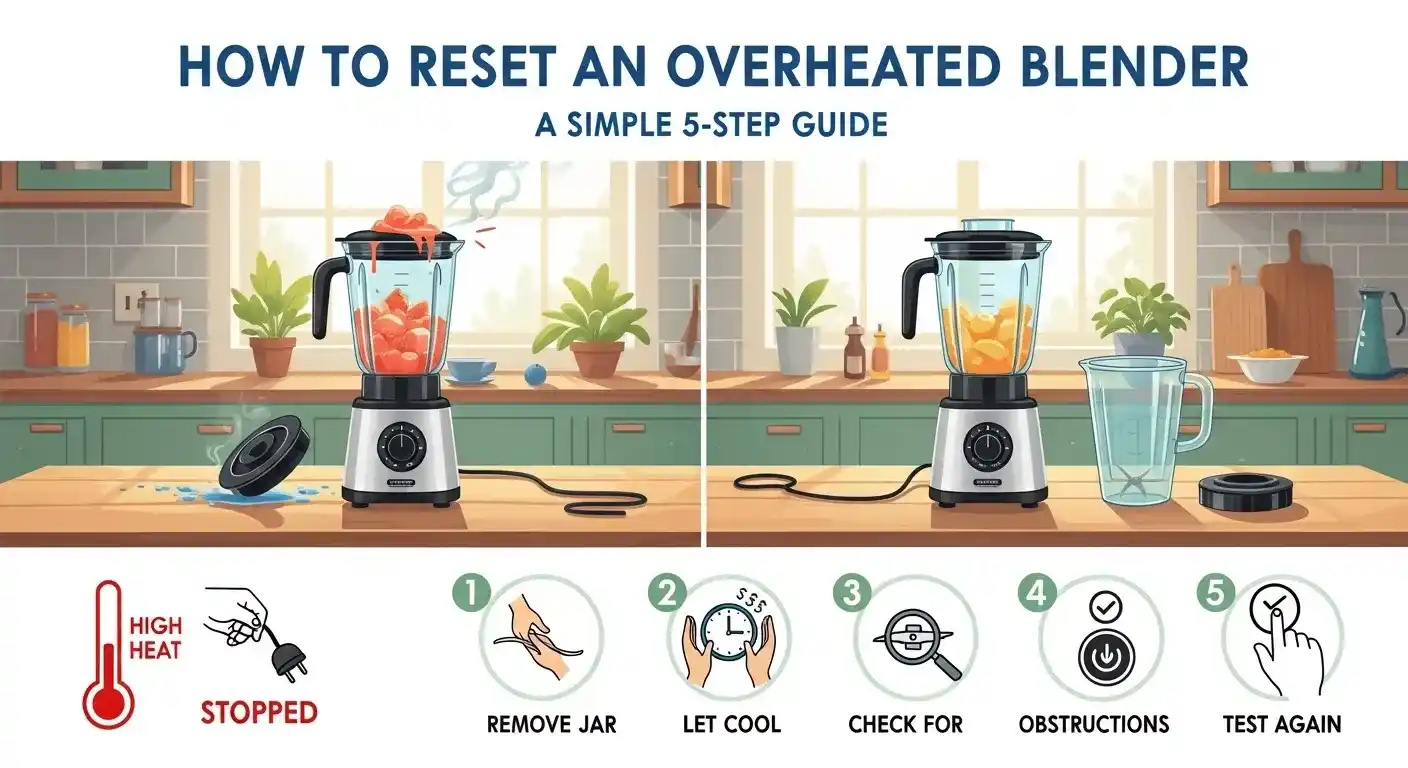
How to Reset an Overheated Blender Step by Step
The safest way to restore an overheated blender is to disconnect power, allow the motor to cool, check for an obvious cause, and follow the reset instructions for the exact model. Do not skip the cooling period just because you need to finish a recipe.
The steps below apply as general guidance to many household blenders. Your owner’s manual takes priority if it gives a different cooling time, reset method, or inspection procedure. If the blender shows signs of electrical damage, skip the restart test and arrange service.
Source: sharptce.com
Step 1: Turn off and unplug the blender
Switch the blender off, then disconnect the plug from the wall outlet. Keep the plug and your hands dry. If the outlet or cord is smoking, sparking, or damaged, do not touch an unsafe area; disconnect power at the breaker if you can do so safely.
Step 2: Let the motor cool completely
Place the motor base on a stable, dry surface with open space around its ventilation openings. Follow the cooling period in the manual. If no time is listed, allow at least 30 minutes as a practical starting point, then wait longer if the base remains warm. This is general guidance, not a universal manufacturer requirement.
Step 3: Remove the jar and inspect the load
Once the blender is unplugged, remove the jar according to the manufacturer’s instructions. Check whether thick food, frozen fruit, ice, or an overloaded mixture may have stalled the blades. Keep your hands away from sharp blades and use a suitable utensil only when the jar is detached and the appliance is disconnected.
Step 4: Check the blender’s reset instructions
Look in the owner’s manual for terms such as thermal overload, motor protection, reset switch, or overheating. If the model has a manual reset button, follow the stated cooling period and button procedure. Do not assume that every blender has a reset button or that a button on the underside is meant for user operation.
Step 5: Check the jar and ventilation openings
Make sure the jar is seated correctly and the base’s air openings are not blocked by dust, food, a towel, or nearby objects. Clean accessible surfaces only while the unit is unplugged. Do not pour water into the motor base or insert tools into its openings.
Step 6: Reconnect power and test carefully
If there are no warning signs and the manual permits a restart, plug the blender into a suitable outlet and fit the jar correctly. Start with a small amount of an easy-to-blend mixture that follows the manual’s minimum liquid and load requirements. Use a low speed first if the model supports it.
Step 7: Stop if the problem returns
If the blender starts normally and runs without unusual sounds or smells, the cooling process may have resolved the shutdown. If it stops again, trips the circuit, struggles with a light load, or smells burnt, unplug it and stop troubleshooting. Repeated resets are not a safe way to deal with a recurring fault.
How Do You Know the Reset Worked?
A successful restart means the blender powers on normally and runs through a short, suitable test without stopping unexpectedly. The motor should respond to the controls as described in the manual. There should be no smoke, sparks, burning odor, or unusual grinding noise.
Do not use a long blending session as the first test. A short run with a suitable mixture is enough to check whether the appliance starts and runs normally. If the same problem returns during ordinary use, the underlying cause may still be present.
Normal startup
The controls respond and the motor starts without a delay or repeated shutdown.
Steady operation
The blender runs through a short test without unusual vibration, grinding, or a sudden loss of power.
No warning signs
There is no smoke, burning odor, visible damage, or unusual heat buildup during the brief test.
How Long Should You Let an Overheated Blender Cool?
The required cooling time depends on the blender’s design, how hot the motor became, the surrounding temperature, and the task that caused the shutdown. Follow the owner’s manual whenever it provides a specific waiting period. A short pause may be enough for a lightly strained motor, while a heavily loaded motor may need more time.
If the manual does not state a cooling period, waiting at least 30 minutes is a reasonable starting point for a household blender. This is not a guarantee that the motor has cooled internally. If the base remains warm or the blender stopped after a demanding task, allow more time before considering a restart.
Keep the base in a dry, well-ventilated place while it cools. Do not put it in a refrigerator or freezer, place it in water, or use a hair dryer or other heating or cooling device. Sudden temperature changes and moisture can create additional risks.
Source: electmix.com
Light use
A brief blending task may require less recovery time, but use the manual’s guidance rather than judging by the outside temperature alone.
Thick or frozen mixtures
A demanding load can strain the motor more than a thin liquid. Remove the cause of the strain and allow extra cooling time when needed.
Repeated shutdowns
Do not keep waiting and restarting without finding the cause. A recurring thermal shutdown can indicate unsuitable use, poor ventilation, a jam, or a fault.
Should You Press the Reset Button Immediately?
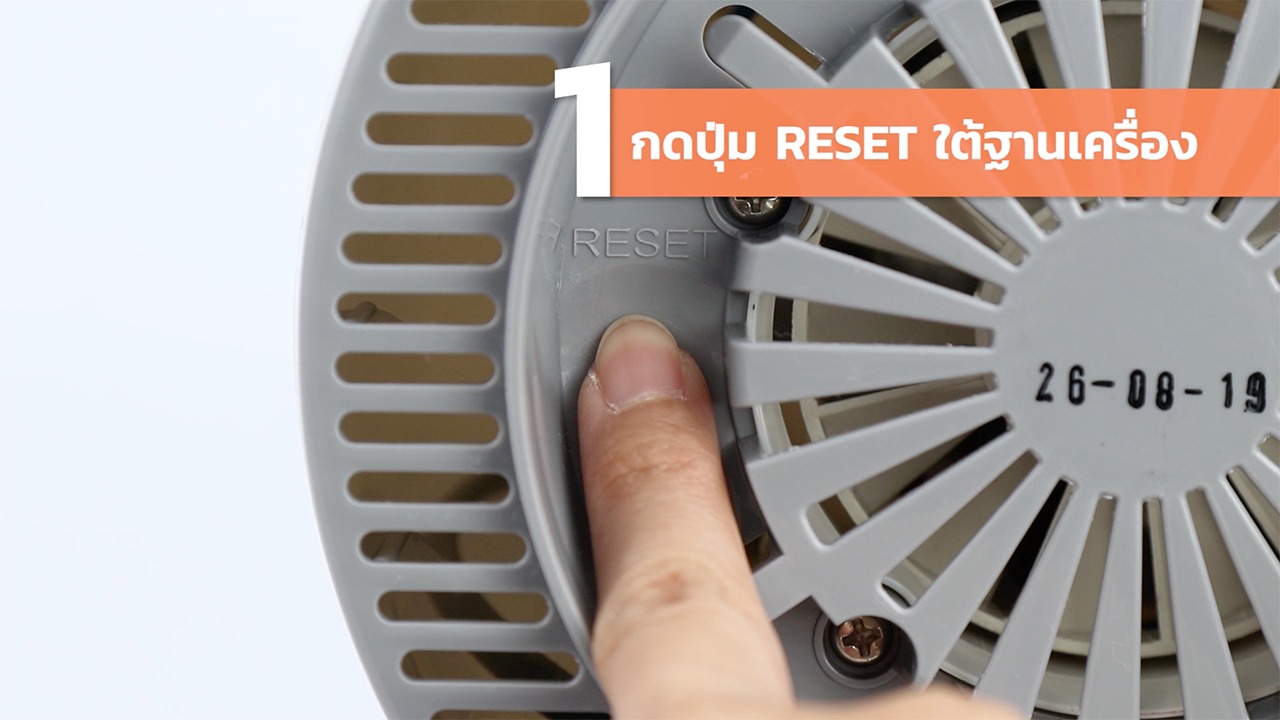
No. If your blender has a manual reset button, first switch it off, unplug it, and allow it to cool for the period stated by the manufacturer. Press the button only when the manual identifies it as the correct reset control and explains how to use it.
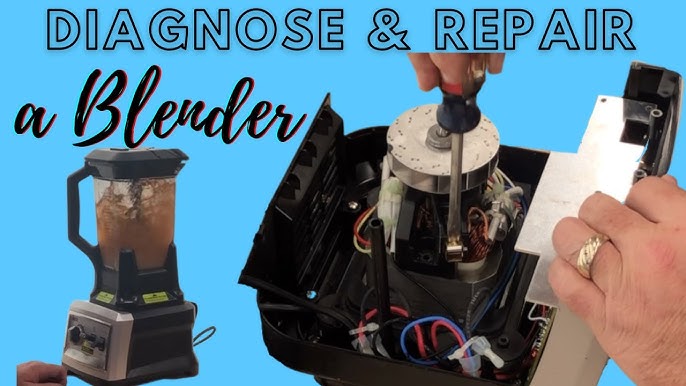
Never remove screws or open the base just to look for a hidden switch. Internal parts can carry electrical risks, and opening the housing may affect warranty coverage. If the manual does not describe a user-accessible reset, do not try to create one.
Manual identifies a reset button
Use the stated procedure after cooling, then perform a cautious test if there are no signs of damage.
No reset button is documented
Allow the motor to cool and follow the manufacturer’s restart instructions. Do not press unknown switches or dismantle the appliance.
What to Check When Your Blender Still Will Not Start
If cooling does not restore operation, do not assume the motor is ruined. Start with safe, external checks and change only one thing at a time. The aim is to distinguish a simple setup problem from a fault that needs service.
Keep the blender unplugged during physical inspections. Never test the blade assembly with your fingers, bypass a safety interlock, or open the motor housing. If you find damage or smell burnt insulation, stop and contact the manufacturer or a qualified repair service.
Source: imsolutionrealm.com
Check the wall outlet
If the cord and plug are undamaged and there are no signs of burning or moisture, check whether the outlet works with a suitable device. Do not use an outlet that sparks, feels hot, or appears damaged. If a breaker or ground-fault circuit interrupter has tripped, investigate the cause rather than repeatedly resetting it.
Check the power cord and plug
Look for cuts, exposed wires, crushed sections, bent prongs, or discoloration. Do not use a blender with a damaged cord or plug. Arrange a manufacturer-approved replacement or qualified service.
Check the jar position
Some blenders will not operate unless the jar or lid is correctly fitted. With the unit unplugged, confirm that removable parts are seated according to the manual.
Check for an overloaded or jammed blade assembly
Remove excess food while the blender is disconnected from power. Check the manual for approved cleaning and inspection steps. Do not force a jammed blade or run the motor with the jar removed unless the manufacturer explicitly allows that test.
Review the control settings
Confirm that the correct program or speed is selected and that the model’s operating sequence has been followed. Some appliances require the jar, lid, and control settings to be in a particular order.
Troubleshooting by Symptom
The symptom can help narrow the possibilities, but it cannot prove which component has failed. Use this table to decide what to check next without opening the appliance or taking electrical risks.
Blender stopped and remains silent
Possible causes include thermal protection, an outlet problem, an incorrectly seated jar, or an internal fault. Let it cool, check the manual, and perform safe external checks.
Motor hums but blades do not turn
A jam or excessive load may be preventing rotation. Turn off and unplug the blender. Remove the load safely and arrange service if the problem persists.
Blender starts and stops repeatedly
The load may be too thick, ventilation may be restricted, or a protective system may be responding to a fault. Stop repeated attempts and investigate the cause.
Burning smell or smoke
Stop using the blender immediately. Disconnect power if safe and do not restart it, even if it cools down.
Circuit breaker trips
A trip may indicate an electrical problem or an overloaded circuit. Unplug the blender if safe and do not keep resetting the breaker to continue blending. Seek qualified help if the cause is unclear.
When Should You Contact the Manufacturer?
Contact the manufacturer or an authorized repair provider if the blender repeatedly shuts down during normal use, fails to start after the documented cooling and reset process, or makes a new grinding or electrical noise. The same applies if the base, cord, plug, or controls show damage.
Have the model number and a description of the symptoms ready. Tell the service provider what you were blending, whether the motor stopped suddenly, how long it cooled, and whether you noticed an odor or unusual sound. This information can help them determine whether the appliance needs inspection or replacement.
Check the warranty
Review the warranty terms before opening or attempting a repair. Unauthorized disassembly may affect coverage.
Use approved parts
If a replacement part is needed, confirm compatibility with the exact model. Avoid improvised switches, fuses, or wiring changes.
Replace an unsafe appliance
If the motor base or electrical components are damaged and a safe, supported repair is not available, replacement may be more appropriate than further troubleshooting.
Common Causes of Blender Overheating
A blender usually runs hotter when the motor must work harder than intended. The ingredients, amount of liquid, batch size, blending time, and airflow around the base all affect the workload. Fixing the cause is more useful than repeatedly resetting the motor.
The same recipe may behave differently in different blenders. A high-powered model, a personal blender, and a basic countertop blender may have different motor limits, jar designs, and recommended operating times. Follow the instructions for your own model rather than assuming that every blender can handle the same load.
Source: electmix.com
Too much food in the jar
An overfilled jar can prevent ingredients from moving freely and may exceed the motor’s intended load. Blend smaller batches and stay below the fill line.
Too little liquid
Some mixtures need liquid to move around the blades. Thick nut butters, frozen fruit, and dense dough-like mixtures may place excessive strain on a blender that is not designed for them.
Long blending sessions
Continuous operation can build heat, especially when processing dense food. Follow any limits on run time and rest periods in the manual.
Hard or frozen ingredients
Large ice cubes, frozen fruit, and hard ingredients can stall or slow the blades if the blender is not designed for them. Use approved ingredients and prepare them as directed.
Blocked ventilation
The motor base needs airflow to release heat. Keep ventilation openings clear and do not operate the blender on a surface that blocks them.
Worn or damaged parts
A damaged blade assembly, worn coupling, or failing motor can make operation harder and may cause unusual sounds or repeated shutdowns. Stop using the blender if you suspect a mechanical fault.
Can Frozen Fruit Overheat a Blender?
Yes, frozen fruit can contribute to overheating when the pieces are large, the batch is too dense, or there is not enough liquid for the mixture to circulate. The risk depends on the blender’s design and whether the manual permits frozen ingredients.
For smoothies, follow the manufacturer’s loading order and liquid requirements. Cut large pieces when recommended, avoid packing the jar too tightly, and use the pulse function if the manual suggests it. Do not keep running the motor when the blades are stuck or the mixture is not moving.
Use an approved recipe
Check the manual for guidance on frozen fruit, ice, and other hard ingredients.
Reduce the batch size
A smaller batch may give the blades more room to move the mixture.
Add liquid as directed
Use the amount needed for safe circulation and the recipe, while staying within the blender’s minimum and maximum fill limits.
How to Prevent Your Blender From Overheating Again
The best prevention plan is to keep each batch within the blender’s limits, allow the motor to rest as directed, and maintain clear airflow. These steps reduce unnecessary strain and make it easier to spot a problem before the blender shuts down.
Do not treat a reset as permission to repeat the same demanding task. If a blender overheats while making a thick smoothie, for example, the next batch should use an appropriate amount of liquid, a smaller load, or a different method recommended by the manufacturer.
Source: ninjachoice.blog
Follow the fill line
Never exceed the maximum fill mark. For thick mixtures, start with a smaller batch if the manual recommends it.
Use the right amount of liquid
Follow a tested recipe or the blender’s instructions for the ingredients being processed. Do not add water blindly if it could spoil the recipe or exceed the fill limit.
Use short bursts when appropriate
Pulse settings can help move certain mixtures without a long continuous run. Use them only as recommended for the food and appliance.
Respect run-time limits
Some blenders are designed for short household tasks rather than extended operation. Follow the specified run time and rest period.
Keep the motor base ventilated
Place the blender on a stable, dry surface and keep air openings free from towels, crumbs, and nearby objects.
Clean the blender correctly
Unplug the appliance before cleaning. Follow the manual for the jar, blade assembly, and base. Never immerse the motor base unless the manufacturer explicitly states that it is designed for immersion.
Inspect parts regularly
Check the cord, plug, jar, lid, and accessible blade assembly for visible damage. Stop using any part that appears cracked, loose, or unsafe.
A Better Way to Blend Thick Mixtures
Thick mixtures often need a different approach from thin drinks. A spoonful of nut butter, frozen banana, or a dense smoothie base can stick around the blades and prevent circulation. When the motor works against a stationary load, it may draw more current and produce more heat.
Start by checking whether the recipe suits your blender. Add the recommended liquid, reduce the batch size, and use a suitable speed or pulse setting. If the manual permits a tamper, use only the correct tool through the approved opening while the lid remains in place.
Avoid dry blending unless approved
Some blenders are designed to process dry ingredients, while others need liquid for certain tasks. Follow the model-specific instructions.
Do not force the motor
If the blades stop moving, switch off and unplug the blender before addressing the blockage.
Choose a suitable appliance
If a recipe regularly exceeds your blender’s stated capacity or operating limits, use equipment designed for that task instead of pushing the motor harder.
Does a Higher-Wattage Blender Never Overheat?
No. A higher-wattage blender can still overheat if the load is too demanding, airflow is blocked, the motor runs for too long, or a component is damaged. Wattage alone does not establish how long a blender can run or which ingredients it can process safely.
When comparing blenders, look at the manufacturer’s guidance for batch size, frozen ingredients, continuous run time, and rest periods. The design of the jar and blades also matters. Use the specifications for the exact model instead of relying on wattage as the only measure of capability.
Check operating limits
The manual’s limits provide more useful guidance for a specific task than wattage alone.
Consider the recipe
Dense mixtures and long processing sessions may demand more from a motor than short runs with thin liquids.
Special Considerations for Ninja and Other Blender Brands
The reset process can differ between a Ninja blender, a personal blender, a traditional countertop model, and a commercial machine. Some units rely on cooling and automatic recovery, while others may provide a documented reset procedure. The model number matters more than the brand name alone.
Do not assume that a reset method found for one product applies to every model from the same manufacturer. Jar interlocks, motor protection, controls, and operating limits can vary. Check the manual supplied with the exact blender or use the manufacturer’s official support resources.
Source: linkedin.com
Ninja blenders
Check the manual for the exact model and follow its instructions for overheating, motor protection, assembly, and restart. Do not press an undocumented switch or bypass a jar or lid safety feature.
Personal blenders
Small blenders may have stricter limits on batch size and continuous use. Use the correct cup and blade assembly, and follow the required assembly and cooling steps.
Traditional countertop blenders
Confirm that the jar is seated correctly and that the load follows the fill and liquid guidance. Some models have user-accessible protection features; others do not.
Commercial blenders
Commercial equipment may have different duty cycles, cooling requirements, and service procedures. Follow the commercial model’s manual rather than household-blender advice.
What If Your Blender Has No Reset Button?
A blender does not need a visible reset button to have motor protection. Some designs allow the protective system to recover after cooling, while others use a different control arrangement. The absence of a button does not mean that you should open the base to find one.
Unplug the unit, allow it to cool, remove any excessive load, and consult the manual. If the model remains unresponsive after the documented procedure, contact the manufacturer or an authorized repair service. Do not repeatedly cycle the power in an attempt to force it to restart.
Use the model number
Find the identification label and locate the matching manual or support information.
Follow the documented restart process
Use the stated cooling and assembly steps instead of relying on a generic reset trick.
Stop if it remains unresponsive
A persistent failure may need service rather than another reset attempt.
Common Mistakes to Avoid When Resetting a Blender
A rushed restart can turn a simple interruption into a bigger problem. Give the motor time to cool, follow the model’s instructions, and avoid methods that expose you to sharp blades, electricity, or hot components.
The most important rule is to stop when the blender shows signs of damage. A reset can restore operation after a temporary thermal shutdown, but it cannot repair a failed motor, damaged wire, or defective control.
Source: kitchenwink.com
Restarting too soon
A motor that has not cooled enough may shut down again. Follow the manufacturer’s waiting period and allow additional time if needed.
Pressing an unknown button
Do not press switches or buttons unless the manual identifies their purpose and procedure.
Using water on the motor base
Never rinse or immerse the base unless the manufacturer explicitly approves that method. Clean it as directed with the appliance unplugged.
Reaching into the jar while plugged in
Unplug the blender before removing a blockage. Blades can be sharp, even when they are not moving.
Ignoring a burning smell
Do not wait for a burnt smell to disappear and then try again. Stop using the appliance and arrange an inspection.
Repeating the reset over and over
Repeated shutdowns suggest that the underlying cause remains. Stop and investigate the load, ventilation, setup, or possible fault.
Assuming all blenders work alike
Different models have different protection systems and operating limits. Use the exact model’s instructions.
Is It Safe to Use a Blender That Smells Burnt?
No. A persistent burning or electrical smell is a warning sign, not a normal part of resetting an overheated blender. Unplug the appliance if you can do so safely and do not run another test.
The smell may come from overheated motor insulation, an electrical component, or friction caused by a mechanical problem. The source cannot be confirmed from the odor alone. Have the blender inspected by the manufacturer or a qualified repair provider before using it again.
Stop operation
Turn off and unplug the blender if it is safe to do so.
Keep the unit out of service
Do not restart it just because the smell fades after cooling.
Arrange a safe inspection
Contact the manufacturer or a qualified repair provider. Replace the appliance if a safe, suitable repair is not available.
A Simple Decision Guide for Your Next Step
Use the following table to decide whether to cool the blender, check its setup, or stop and seek service. It is a general guide, not a diagnosis. Any model-specific instructions and safety warnings take priority.
Source: kitchenwink.com
Stopped during a thick smoothie, with no burnt smell
Unplug it, allow it to cool, reduce the load, and check the manual before restarting.
Stopped while processing ice or frozen food
Confirm that the model supports the ingredients. Remove the excessive load safely and use the recommended batch size and liquid amount.
Will not start after cooling
Check the manual’s reset steps, jar assembly, and safe external power connections. Seek service if the issue remains.
Smells burnt, emits smoke, or sparks
Do not restart it. Disconnect power if safe and arrange a professional inspection.
Keeps shutting down during normal blending
Stop repeated attempts. Check for unsuitable loads and blocked ventilation, then contact the manufacturer if the problem persists.
What Information Should You Gather Before Seeking Help?
A few details can make a service request more useful. Note the model number, what you were blending, whether the motor stopped suddenly or slowed first, and whether the blender restarted after cooling. Include any error light or code shown by the appliance.
Also describe any burning odor, smoke, grinding, or repeated circuit trips. Do not repeat the event to gather more information if doing so could be unsafe. A clear account of what already happened is enough to help the service provider choose the next step.
Model and age
Record the model number and, if known, the purchase date.
Blending conditions
Describe the ingredients, approximate batch size, liquid amount, and length of use.
Observed warning signs
Report any unusual odor, noise, smoke, error indicator, or electrical interruption.
Steps already taken
State how long the blender cooled and whether you followed a documented reset procedure.
Frequently Asked Questions
Q
How long should I wait before restarting an overheated blender?
Follow the cooling time in the owner’s manual. If the manual does not give a time, wait at least 30 minutes as a practical starting point, then allow more time if the motor base remains warm. The exact time depends on the model and how hard the motor was working.
Do not restart the blender if you notice smoke, a persistent burning smell, sparks, or electrical damage. Cooling does not make a damaged appliance safe.
Q
Do all blenders have a manual reset button?
No. Some blenders have a documented manual reset feature, while others rely on a protective system that may recover after the motor cools. The design varies by model.
Check the owner’s manual before trying a reset. Never open the motor base or press an unknown switch to look for a reset function.
Q
Why does my blender keep overheating even after I reset it?
Repeated overheating may result from an overloaded jar, a thick mixture, insufficient liquid, long blending sessions, blocked ventilation, or a mechanical or electrical fault. The reset itself does not remove these causes.
Unplug the blender and review the operating limits in the manual. Reduce the batch size, use an appropriate liquid amount, and allow the required rest period. If the problem continues with a suitable load, stop using the blender and seek service.
Q
Can I use my blender while it is still warm?
Do not restart a blender that has shut down from suspected overheating until it has cooled for the period specified by the manufacturer. The outside of the base may feel cooler before internal components have fully recovered.
If the blender has not shut down and is operating normally, follow the manual’s run-time and rest-period guidance. Stop immediately if it slows unexpectedly, smells burnt, or shows another warning sign.
Q
Can a blender overheat from making smoothies?
Yes. Smoothies can strain a blender when they contain large amounts of frozen fruit, ice, or thick ingredients without enough liquid for circulation. A large batch or a long continuous run can add to the strain.
Follow the model’s guidance for frozen ingredients and minimum liquid levels. Use smaller batches when needed, and stop the motor if the blades stall or the mixture stops moving.
Q
Should I replace my blender if it overheats once?
Not necessarily. A single shutdown during a demanding task may be caused by temporary thermal protection. If the manual allows it, the appliance cools fully, and a suitable test run works normally without warning signs, replacement may not be needed.
However, a blender that repeatedly shuts down, fails to restart, trips a circuit, or produces a burning smell needs further attention. Do not keep using it until the cause is understood and any required repair has been completed.
Q
Is unplugging the blender enough to reset it?
Sometimes, but not always. Unplugging disconnects the power and allows the motor to cool, which may be enough for a model with automatic thermal recovery. Other models may require a specific reset procedure described in the manual.
Do not assume that unplugging will fix a mechanical or electrical fault. If the blender remains unresponsive after the correct cooling and reset steps, contact the manufacturer or a qualified repair provider.
✦ Wrapping Up
Conclusion
Resetting an overheated blender starts with a simple rule: turn it off, unplug it, and give the motor time to cool. Once it is safe, check the load, jar position, and ventilation openings, then follow the reset instructions for your exact model. Some blenders recover after cooling, while others have a documented manual reset process.
Prevent another shutdown by using suitable batch sizes, adding the recommended amount of liquid, keeping air openings clear, and following the manufacturer’s run-time limits. Do not keep forcing the motor to run when the blades stall or the mixture is too thick. A reset can restore normal operation after temporary overheating, but it cannot repair a damaged component.
If the blender has a burning smell, emits smoke, sparks, shows cord damage, or keeps shutting down during ordinary use, stop using it. Contact the manufacturer or a qualified repair provider and check the warranty before attempting any repair.
💡 Key Takeaway
Unplug the blender, let it cool according to its manual, check for an overloaded or jammed mixture, and use only the documented reset method. If it shows electrical warning signs or repeatedly shuts down, do not restart it; seek qualified service.