

When I started looking closely at the Tapo home security camera review space, one thing stood out fast: Tapo is not just one camera. The range includes simple indoor models, pan-and-tilt cameras, and outdoor options. That makes choosing the right one more important than simply asking whether Tapo cameras are “good.”
What I like about the Tapo lineup is the balance between useful features and simple setup. Depending on the model, you can get 1080p or 2K video, motion tracking, person detection, two-way audio, local microSD storage, and cloud storage. But there are also a few details I would want to know before buying, especially around Wi-Fi, subscriptions, storage, and privacy.
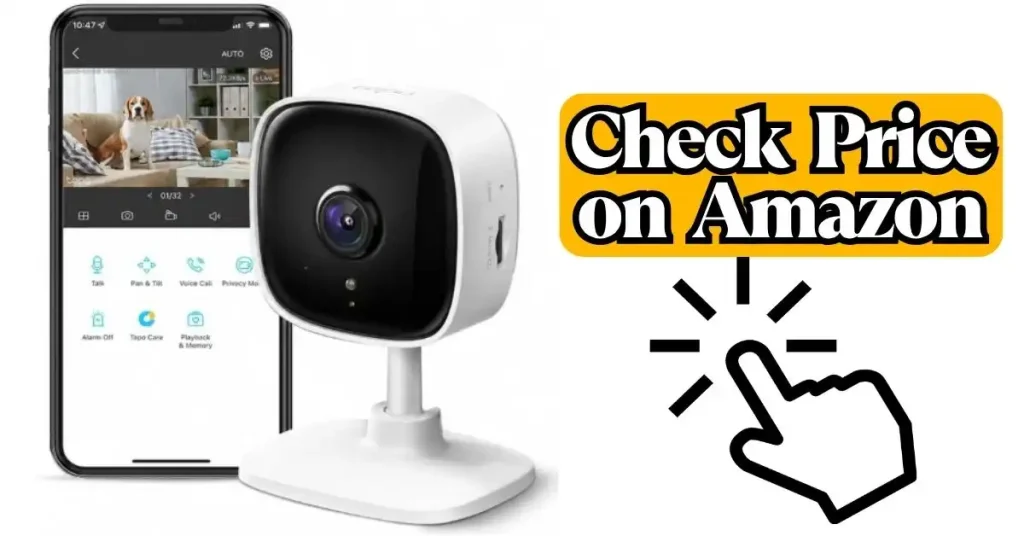
Tapo Home Security Camera Review: What Makes the Range Interesting?
The biggest lesson from comparing Tapo cameras is that the brand gives you several ways to build a home security setup. You do not have to jump straight into an expensive system with a central hub.
Some Tapo cameras are made mainly for indoor rooms. Others are built for outdoor use. There are also models with pan and tilt, so one camera can watch a much wider area.
| Camera Type | Best Use | What Stands Out |
| Indoor fixed | Bedrooms, entry areas | Simple monitoring |
| Indoor pan/tilt | Living rooms, pets | Wider room coverage |
| Outdoor camera | Driveways, yards | Weather resistance |
| AI pan/tilt | Busy indoor areas | Smarter tracking and alerts |
For example, the Tapo C210 offers 2K 3MP video, 360-degree horizontal coverage, 114-degree vertical coverage, motion tracking, baby-cry detection, and microSD storage up to 512GB. The C225 moves further into the smart-camera category with AI detection, physical privacy mode, and panoramic features.
That variety is useful. It also creates the first mistake I see people make: choosing the camera before deciding where it will go.
Which Tapo Camera Makes Sense for Different Rooms?
The best Tapo camera depends more on the room than the brand name. A fixed camera can make sense for a doorway, while a pan-and-tilt model is much more useful in a large living room.
I would start with the viewing area. If one camera needs to watch several angles, pan and tilt can be more valuable than simply buying a higher resolution.
For a Living Room
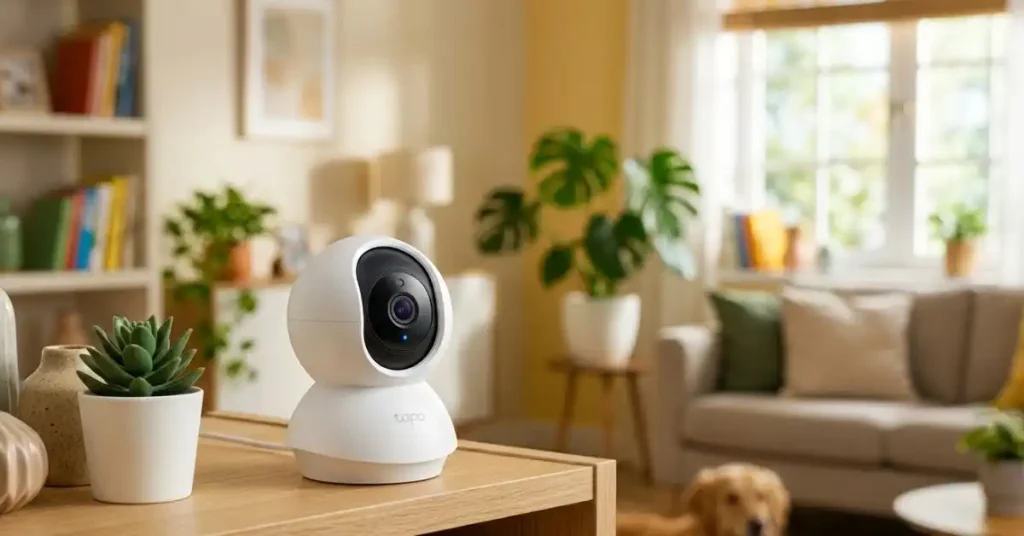
A pan-and-tilt Tapo camera makes the most sense when people or pets move around the room. Models such as the C210 and C225 can follow movement, which can reduce the need to point the camera at one narrow area.
For an Entryway
A fixed camera may be enough if the doorway stays inside one clear viewing zone. In this case, I would care more about alert quality and placement than fancy movement features.
For Outdoor Areas
This is where the model choice matters much more. The Tapo C310, for example, offers 2K video, up to 98 feet of stated night vision, IP66 weather resistance, person detection, and both Wi-Fi and Ethernet connectivity.
| Location | What I’d Prioritize | Why |
| Living room | Pan/tilt | Covers moving subjects |
| Front door | Detection + clear view | Helps with alerts |
| Backyard | Weather rating | Handles outdoor exposure |
| Baby room | Night vision + audio | Useful day and night |
The practical point is simple: do not buy a camera based only on its resolution. A perfectly sharp camera aimed at the wrong spot is still a bad security camera.
How Good Is Tapo Video Quality in Real Use?
Tapo video quality ranges from basic 1080p to much sharper 2K and newer 4K models. For ordinary indoor monitoring, 1080p can be enough. If you want more detail when digitally zooming into footage, 2K or 4K becomes more useful.
The Tapo C200 is a 1080p model, while cameras such as the C210 and C225 offer 2K-class resolution. Newer models such as the C260 go up to 4K 8MP and add features such as face recognition and local AI processing.
Daytime Video Is Only Half the Story
One thing I would not overlook is night vision. A camera can look excellent in daylight and still struggle when the lights go off.
Tapo’s night-vision range varies by model. For example, the C212 lists night vision up to 30 feet, while the outdoor C310 lists up to 98 feet. Those figures are useful for comparing models, but your wall color, lighting, distance, and camera angle still affect what you actually see.
| Situation | What Matters Most | My Take |
| Bright room | Resolution | 1080p may be enough |
| Large room | Resolution + view | 2K is more comfortable |
| Dark room | Night vision | Check range and placement |
| Outdoor night | IR range + weather rating | Model choice matters greatly |
I also learned not to confuse “more pixels” with “better evidence.” If a person’s face is far from the lens, simply having a higher resolution camera does not guarantee a useful identification.
Does a Tapo Camera Need a Subscription?
No. This is one of the most important points in any Tapo home security camera review. Supported Tapo cameras can work without Tapo Care, and many models support local microSD storage.
Tapo Care is an optional paid cloud service. Current Tapo Care offerings vary by region and plan, with options that can include cloud video history, snapshots, smart filters, and newer AI features.
That distinction matters because I would rather know about the subscription before buying than discover it after installation.
Local Storage vs Cloud Storage
Local storage is appealing if you want to avoid a monthly bill. Cloud storage becomes more useful if you are worried about losing footage when the camera itself is damaged, stolen, or disconnected.
Some current Tapo cameras support microSD cards up to 512GB. Tapo Care can provide cloud storage, depending on the plan and region.
| Storage | Main Advantage | Main Limitation |
| microSD | No ongoing cloud fee | Card stays with camera |
| Tapo Care | Remote cloud footage | Subscription cost |
| Both | Extra backup | Higher total cost |
For security, I actually like the idea of using both when the situation justifies it. Local recording gives you a convenient archive, while cloud storage can provide another copy of important events.
What About Tapo Motion Detection and AI Alerts?
This is where Tapo becomes more useful than a basic camera that simply records everything.
Depending on the model, Tapo cameras can detect motion, people, pets, vehicles, baby crying, or other events. Some models also offer activity zones, motion tracking, line-crossing detection, and intrusion detection.
The practical advantage is fewer useless alerts.
Imagine a camera facing a street. Cars, shadows, trees, and passing animals can create a lot of motion. If the camera can separate a person from general movement, the notification becomes much more useful.
But AI Detection Is Not Magic
I would still treat AI alerts as a helpful filter, not proof that something important happened.
Lighting, distance, camera angle, and objects in the scene can affect detection. This is one reason activity zones are valuable. You can tell the camera to pay more attention to the area that actually matters.
| Alert Problem | Better Approach |
| Too many motion alerts | Use activity zones |
| Road traffic triggers alerts | Exclude the road area |
| Camera follows unimportant movement | Adjust tracking settings |
| Important events are missed | Improve camera placement |
The biggest mistake is often not the AI. It is pointing the camera at half the neighborhood and expecting the software to sort everything perfectly.
How Easy Is the Tapo App to Use?
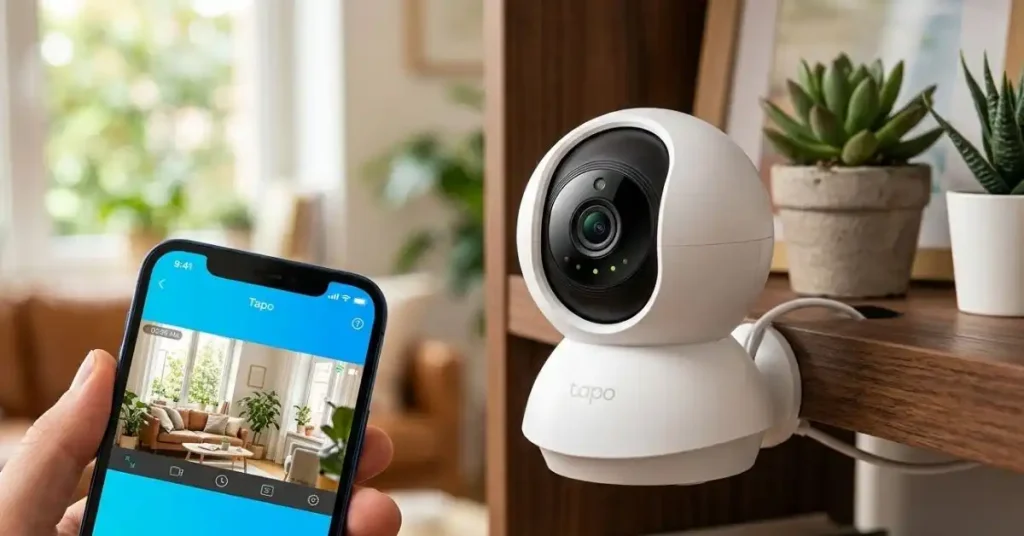
The Tapo app is a major part of the experience because the camera itself is only half the system. You use the app for setup, live viewing, playback, alerts, settings, and storage management.
The setup process is designed around the app, and supported cameras can be managed there. Outdoor models such as the C310 also advertise app-based live view and playback.
I would still take a few minutes after installation to go through every detection setting. Default settings are rarely perfect for every home.
The Settings Worth Checking First
After connecting the camera, I would check these before simply leaving it running.
| Setting | Why Check It |
| Activity zones | Reduces useless alerts |
| Detection types | Keeps notifications relevant |
| Night vision | Matches the room’s lighting |
| Recording schedule | Prevents unwanted recording |
| Privacy mode | Gives better control at home |
This small setup step can make a cheap camera feel much smarter. It can also prevent the classic situation where your phone starts buzzing every few minutes because a tree moved outside.
Is Tapo Good for Privacy?
Privacy deserves more attention than it usually gets in a camera review. You are putting a network-connected microphone and camera inside your home, so security settings should not be an afterthought.
Many Tapo models offer privacy zones, and some newer cameras include physical privacy modes that move or cover the lens. The C225, for example, has a physical privacy mode that blocks the lens with the camera housing.
TP-Link also says Tapo uses AES-128 encryption and TLS 1.2 for sensitive information and has introduced two-step verification for Tapo accounts.
One Setting I Would Definitely Turn On
Two-step verification is worth enabling on the account. TP-Link’s current instructions place it under the Tapo app’s account security settings.
A strong password helps, but adding another login check gives the account another layer of protection.
What Mistakes Should You Avoid With a Tapo Camera?
Most problems are not caused by the camera being “bad.” They come from choosing the wrong model, poor placement, or leaving useful settings untouched.
These are the mistakes I would try hardest to avoid.
| Mistake | Better Approach |
| Buying only by resolution | Match features to the room |
| Ignoring Wi-Fi strength | Test the signal at the camera location |
| Using wide motion detection | Create activity zones |
| Forgetting storage needs | Decide local vs cloud first |
| Mounting too high | Keep important areas visible |
| Ignoring privacy settings | Configure privacy zones or mode |
One especially easy mistake is forgetting power. Many popular Tapo indoor cameras are powered cameras, not battery cameras. That means the outlet location can determine where you can realistically mount them.
How Does Tapo Work Without Wi-Fi?
This is another point I would think about before installing one.
Most Tapo smart cameras depend on a network connection for remote access through the app. Some models also offer Ethernet, which can help when Wi-Fi coverage is weak. The C212 and C310 are examples of models that support Ethernet in addition to Wi-Fi.
Local recording can still be valuable, but you should not assume that a camera will behave exactly the same when the network is unavailable.
| Connection | Best For | Practical Note |
| 2.4GHz Wi-Fi | Common indoor setup | Good range |
| Ethernet | Stable connection | Needs cable |
| Weak Wi-Fi | Poor choice | Expect connection issues |
Before blaming the camera for dropped video, I would test the network where the camera will actually sit. The router can work perfectly in the bedroom and still provide a weak signal through several walls.
Can Tapo Cameras Be Used Outdoors?
Yes, but only with a model designed for outdoor use.
The Tapo C310, for example, has an IP66 weatherproof rating, while the C500 has IP65 weather resistance. Outdoor models also offer features such as night vision and motion tracking designed for larger areas.
The important lesson is not to assume every Tapo camera can survive outside.
Outdoor Placement Still Matters
Even a weather-resistant camera needs sensible placement. Avoid locations where water can collect around connections or where direct sunlight makes the image difficult to read.
For a driveway or yard, I would also think about how far the camera is from the subject. A huge viewing area sounds great until people become tiny figures in the image.
Tapo Home Security Camera Review: Who Should Buy One?
After comparing the different models and features, I think Tapo makes the most sense for people who want flexible home monitoring without building a complicated security system.
It is especially appealing if you want local storage, app control, smart alerts, and a choice between simple and more advanced cameras.
| Buyer | Fit | Why |
| First-time camera buyer | Strong | Simple range of options |
| Budget-focused user | Strong | Local storage can reduce cloud costs |
| Smart-home user | Strong | Alexa and Google Assistant support on many models |
| Advanced security user | Depends | Choose higher-end AI models |
I would be more cautious if your main requirement is a completely wireless camera with no nearby power source. You should also compare the subscription features carefully if cloud recording is important to you.
What I Like and What I Would Watch Closely
The strongest part of the Tapo range is flexibility. You can start with a simple indoor camera and move to a more capable pan-and-tilt or outdoor model without changing the basic ecosystem.
The part I would watch most closely is the difference between models. Tapo’s name alone does not tell you whether a camera has 1080p, 2K, 4K, physical privacy, advanced AI, Ethernet, or a particular weather rating.
| What I Like | What I’d Watch |
| Local storage on many models | Features vary by model |
| Wide choice of cameras | Subscription options can change |
| Useful AI detection | AI is not perfect |
| Pan-and-tilt choices | Needs suitable power |
| Privacy features | Account security still matters |
I also would not buy the most expensive Tapo model just because it has the longest feature list. If a basic camera covers the exact area you need, extra features may not improve your daily experience very much.
Frequently Asked Questions About Tapo Home Security Cameras
Is Tapo a good brand for home security cameras?
Yes, Tapo is a strong option for home monitoring, especially if you want affordable cameras with app control, local storage, smart detection, and several model choices. The exact experience depends heavily on the camera model.
Do Tapo cameras record without a subscription?
Many supported Tapo cameras can record to a microSD card without requiring Tapo Care. Tapo Care is an optional cloud service that adds cloud storage and other features.
Does Tapo require Wi-Fi?
Most Tapo smart cameras use Wi-Fi for network access, while some models also provide Ethernet. Check the exact model before buying if wired networking is important to you.
Can Tapo cameras see at night?
Yes. Night-vision capability varies by model. Some indoor models list ranges around 30–40 feet, while certain outdoor models list much longer ranges, such as 98 feet.
Is Tapo Care worth paying for?
It depends on how important cloud backup is to you. If local microSD recording is enough, you may not need it. If you want cloud history and features such as snapshot notifications or newer AI tools, the subscription can make more sense. Plans and features vary by region.
Can I use more than one Tapo camera?
Yes. Tapo Care plans can cover multiple cameras depending on the plan, and the Tapo ecosystem is designed to manage multiple devices through the app.
Final Thoughts
My biggest takeaway from this tapo home security camera review is that the camera model matters more than the Tapo name on the box. The range covers simple indoor monitoring all the way to 4K AI cameras and weather-resistant outdoor models, so the right choice starts with the space you need to watch.
I also would not overlook storage, Wi-Fi, privacy, and alert settings. A good security camera should fit your home rather than force your home to fit the camera. If you choose the right model, place it carefully, set useful activity zones, and secure your account, Tapo can be a practical way to add everyday home monitoring without making the setup unnecessarily complicated.
To Get More About Home, Product Reviews Product You Can Visit Our Site. If You Found our Posts Helpful Leave a Comment Below